Convert Publisher files to PDF, Word and PowerPoint
Upload a Microsoft Publisher (.pub) file and get PDF, Word, editable PowerPoint and PNG files. You do not need Publisher.
Page 1 as a PDF is free. All pages in every format come with a one-time payment.
How it works
- Choose your .pub file.
- See a preview of page 1 and download the free page 1 PDF.
- Choose a paid plan if you want all pages in Word, PowerPoint or PNG.
Your files are only used to make your converted files. Nobody looks at them, and they are deleted 24 hours after upload.
PUB Converter is run by Wayfr.
Example: a brochure before and after
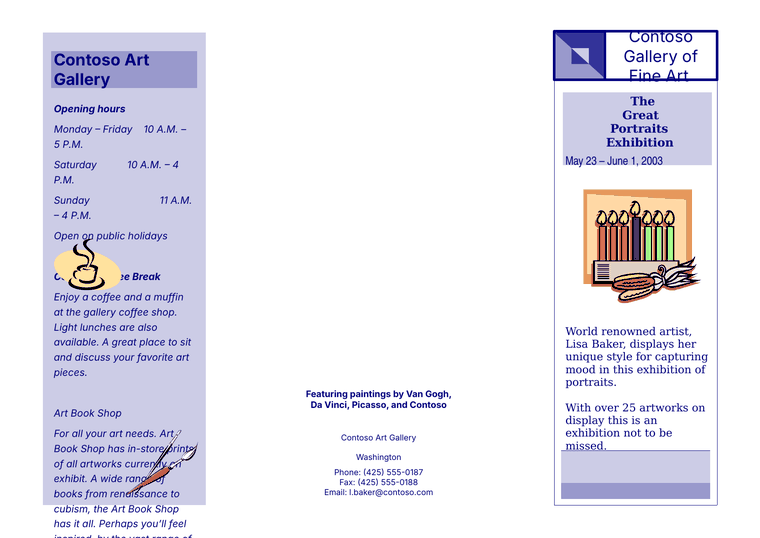
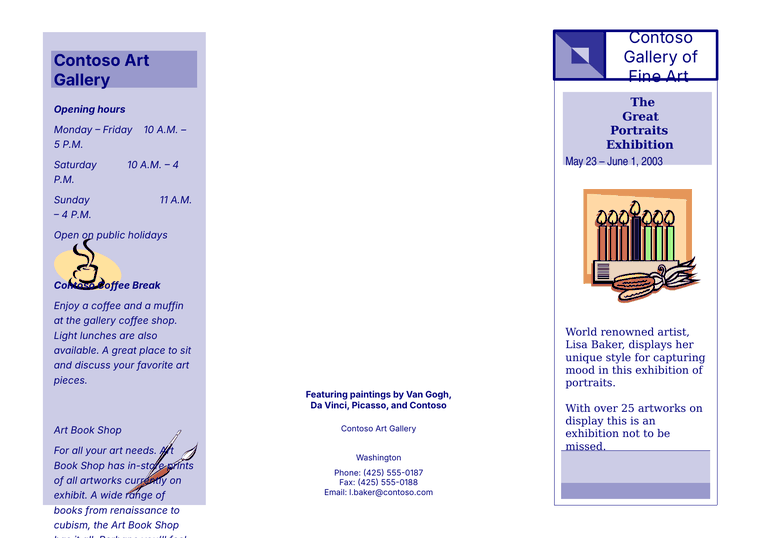
The layout, colors, pictures and text stay in the same places, and the text in the PowerPoint file can be edited. Some lines in the left column sit slightly lower, and in both versions the long text there runs past the bottom of its shaded panel.
Sample file from the Apache POI test suite (Apache License 2.0).
What you get
Page 1 as a PDF is free. All pages in every format below come with a paid plan.
- PDFEvery page, ready to print or share.
- Word (.docx)Your text and pictures appear one after another from top to bottom, the way you would read the page, so you can edit them. The page design is not recreated exactly.
- PowerPoint (.pptx)One slide for each Publisher page, at the same page size as your original, with text boxes you can edit. You can also import it into Canva and Google Slides.
- PNG imagesOne picture file per page, which you can put into an email, a website or a social media post.
What does not convert perfectly
- If your file uses a font that our converter does not have, the preview and the PDF show a similar-looking font instead, so spacing and line breaks may differ slightly. The Word and PowerPoint files keep your original font name. If that font is not installed on your computer, Word or PowerPoint shows a replacement until you install it.
- If your text flows around a picture in Publisher, the Word and PowerPoint files put the text in a plain box instead, so it may sit over or beside the picture. The PDF and PNG files show the page as converted.
- In the PowerPoint file, shapes and clip art are combined into one background picture, so you can edit the text on top of it, but you cannot move or change the individual shapes or clip art.
- Tables from Publisher 98 and 2000 files may be missing. Tables from newer files become a picture.
Prices
Page 1 as a PDF is free. All pages in every format come with a one-time payment.
- FreePage 1 preview and page 1 PDF for every file.
- $9One-time payment. One file, all pages, all formats.
- $19One-time payment. Up to 25 files in one upload, all formats.
- $49One-time payment for 30 days of uploads, with up to 25 files per upload. You get an access code on the page shown after you pay. It does not renew.
Why people need this now
Microsoft removed Publisher from Microsoft 365 starting October 1, 2026, and support for perpetual versions, meaning Publisher copies you bought once instead of renting through Microsoft 365, ended on October 13, 2026.
Read about the Publisher retirement
Publisher could never save as PowerPoint. This converter can, so you can keep editing your flyers, newsletters and cards in PowerPoint, Keynote, Google Slides or Canva.